Rangefinder Not Reading Distance? Here’s How to Fix It
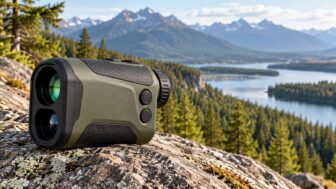
A rangefinder not reading distance is almost never the disaster it feels like in the moment. Nine times out of ten it's a tired battery, a smudged objective lens, or the wrong target mode. The trick is working out which one.
And the symptom pattern tells you, if you know how to read it.
Here's a number worth holding onto. Most handheld laser units need roughly 2.7 volts to fire a clean pulse, but a CR2 cell can still light the display at 2.4 volts. That gap is exactly why so many people bin a perfectly good unit.
Let's start by reading the failure pattern before you touch anything.
Quick Answer
A rangefinder not reading distance usually has a weak battery. Fresh CR2 or CR123A cells fix most cases. Dirty glass and internal fog block the laser return signal.
Dark, wet, or steeply angled targets reflect too little light back. Wrong target priority mode also causes missed readings. A dead laser diode is the least likely cause.
Start Here: What Your Rangefinder's Failure Pattern Is Actually Telling You
Most troubleshooting advice hands you the same flat checklist. Replace the battery, wipe the lens, check the weather. That's not diagnosis, that's guessing.
A laser rangefinder fails in recognisable ways. A unit that reads a bunker face at 90 yards but dies on a flag at 210 has a completely different problem from one that shows dashes on everything. Sort the symptom first, then fix it.
The Five Symptom Patterns and What Each One Usually Means
In our research across manufacturer support documentation and aggregate owner reports, nearly every "won't range" complaint sorts into one of five buckets. Find yours in the table below, then jump to that branch.
| Symptom pattern | Most likely cause | Go to |
|---|---|---|
| Reads close targets fine, fails past 150 to 200 yards | Weak battery under load, or hand shake | Branch 1, then Branch 5 |
| Dashes on everything, including a wall 20 feet away | Dead or reversed battery, contact corrosion, dead diode | Branch 1, then Branch 7 |
| Reads indoors, fails outdoors | Internal condensation, or bright-light washout on LCD | Branch 2 |
| Locks onto trees or the fence behind the pin | First target priority not engaged | Branch 3 |
| Reads reflective things but not deer, dark clothing, wet bark | Target reflectivity limit, not a fault | Branch 4 |
Two more worth flagging separately. If the numbers jump around wildly on a static target, that's usually beam wander from shake or scatter off rain. If it returns the same short number no matter where you aim, something is on the front glass, a droplet, pollen, or a fingerprint bouncing the pulse straight back.
The 60-Second Triage Test You Can Run Right Now
Do this indoors, before you assume anything is broken. It separates "the device is faulty" from "the target was impossible" in under a minute.
- Power check. Press the fire button. Does the reticle illuminate? Does the battery icon show full, partial, or flashing?
- Short-range test. Stand 15 to 20 feet from a flat interior wall or a door frame. Fire. A healthy unit returns a number instantly.
- Mid-range reflective test. Step outside. Range a parked car, a road sign, or a brick wall at roughly 100 yards.
- Mid-range non-reflective test. Same distance, but aim at a tree trunk or a hedge.
- Long-range test. Find a large building or reflective sign at 300 yards or more. Brace against something solid.
Read the results like this:
- Fails all five, no display at all: power or hardware. Branch 1, then Branch 7.
- Passes short, fails everything past 100 yards: almost certainly battery voltage sag. Branch 1.
- Passes reflective, fails tree trunks at the same distance: signal strength problem. That's Branch 2 (dirty glass) or Branch 4 (target reflectivity).
- Passes all five at home, fails only on the course or in the field: modes, technique, or weather. Branches 3, 5 and 6.
- Passes everything, but the number is clearly wrong: boresight or slope setting. Branches 3 and 7.
Write down what happened. If you end up filing a warranty claim later, that test log is the single most useful thing you can send with the unit.
How a Laser Rangefinder Measures Distance and Where the Chain Breaks
You don't need an optics degree here. But you do need to understand the chain, because a "won't range" fault is always a break in one specific link.
A laser rangefinder measures distance by timing light. It fires a short pulse of near-infrared laser energy at the target, then measures how long the reflected pulse takes to come back. That's time-of-flight, and the maths is simple.
Light travels roughly 984 feet per microsecond, so the device halves the round-trip time and converts it to yards or metres.
Time-of-Flight, Beam Divergence, and Return Signal Strength
The chain has four links, and each one is a failure point.
- The laser diode fires. Most consumer units use a 905 nm diode. It needs sufficient voltage to produce a pulse strong enough to survive the round trip.
- The pulse travels out and hits the target. Along the way it spreads. That's beam divergence, usually quoted in milliradians.
- Some fraction of the light reflects back. How much depends entirely on the target surface.
- The avalanche photodiode receiver detects it. The microcontroller compares the return against a noise threshold. Too weak, and you get dashes.
Beam divergence matters more than most people realise. A unit rated at 1.5 by 0.5 mrad throws a beam roughly 4.5 feet wide by 1.5 feet tall at 1,000 yards. A cheaper unit at 3 by 5 mrad throws a footprint several times larger.
Wider beam, more energy landing on the bushes behind the flag, and a higher chance the device reports the wrong thing entirely.
Timing precision at this scale sits in the picosecond range, which is why manufacturers quote accuracy in whole yards rather than inches. If you want the underlying metrology, NIST publishes extensive work on time-of-flight measurement and traceable distance standards.
Why Advertised Max Range Is Measured Off Reflective Targets
That "1,800 yards" printed on the box is not the distance you'll get on a deer. It never was.
Manufacturers publish a three-tier spec, and most retailers only print the biggest number. Here's what the tiers actually mean.
| Spec tier | Test target | Typical share of headline range |
|---|---|---|
| Reflective | Road sign, building, retroreflective panel | 100 percent (the headline number) |
| Tree | Large tree trunk, mixed foliage | 40 to 60 percent |
| Deer or non-reflective | Animal hide, matte cloth, soft angled surface | 25 to 40 percent |
So a unit advertised at 1,800 yards might realistically manage 900 on a tree line and 550 on an elk. That's not false advertising, it's just the spec sheet doing what spec sheets do. As of 2026, most reputable brands publish all three figures on their own product pages, even when the packaging shouts only the first.
Golf units follow the same logic. A flag with a reflective prism in the stick is easy. A plain fibreglass pin against a dark tree background, on a grey day, at 240 yards?
That's near the edge of what a mid-tier unit can do.
The practical takeaway: if your rangefinder still nails a road sign at 400 yards, the laser is healthy. The problem is downstream, in the target, the conditions, or your technique.
Branch 1: Power Problems, Weak Battery vs Dead Unit
Start here every single time. In aggregate owner reports and manufacturer support guidance, battery issues account for the largest single share of "won't range" complaints. It's also the cheapest thing to rule out.
The Telltale Sign of Voltage Sag Under Load
The classic tell is simple. The display works, the reticle glows, the unit powers on happily, but ranging distance collapses.
Here's why. Lighting an LCD or OLED reticle draws a trickle of current. Firing a laser diode draws a hard, brief spike.
A partly depleted lithium cell holds a decent resting voltage but sags badly the moment that spike hits. The controller sees a weak or absent return and gives you dashes.
If your unit ranges at 80 yards but not 250, and it used to manage 400, replace the battery before doing anything else. If the battery icon looks full, replace it anyway. Those icons read resting voltage, not voltage under load, so they lie constantly.
Other power symptoms worth knowing:
- Reticle dims after two or three shots, then recovers. Classic sag. New cell.
- Unit dies intermittently when jostled or when you grip it hard. Loose battery door or weak contact spring.
- Worked yesterday, completely dead today, sat in a cold car overnight. Lithium capacity drops in the cold. Warm it in a pocket for 15 minutes and retest.
- No display at all with a brand new cell. Now you're looking at contacts or genuine hardware failure.
CR2, CR123A, and Rechargeable Packs: What Actually Fails
Not all cells behave the same, and the differences show up exactly when you need the device most.
| Cell type | Nominal voltage | Typical capacity | Common failure mode |
|---|---|---|---|
| CR2 lithium | 3.0 V | Around 800 mAh | Fastest to sag, shortest service life, hardest to source in some markets |
| CR123A lithium | 3.0 V | Around 1,500 mAh | Longer life, but old stock loses capacity on the shelf |
| CR2032 coin | 3.0 V | Around 220 mAh | Used in compact golf units, fails abruptly with little warning |
| USB-C rechargeable | 3.7 V Li-ion | Varies | Cell degradation after 300 to 500 cycles, charge port corrosion |
Practical rules that save a lot of grief:
- Buy brand-name lithium cells with a long date code. Cheap unbranded CR2s are the single most common cause of a "faulty" rangefinder that isn't faulty.
- Never mix a partly used cell back in. Label it and use it in a TV remote instead.
- Don't store the unit with the battery in it over the off-season. Slow leakage corrodes contacts.
- Carry a spare in the bag. A CR2 weighs almost nothing and costs the price of a coffee.
- For rechargeables, don't leave the unit on a charger for weeks. Charge, unplug, store around half capacity.
Expect roughly 2,000 to 5,000 actuations from a fresh lithium cell in a typical handheld unit, depending on how much you use scan mode. Scan mode fires continuously and burns through power far faster than single shots.
Cleaning Contacts and Checking the Battery Door Seal
If a fresh cell doesn't fix it, look at how that cell connects.
- Remove the battery. Look at the negative spring and positive contact plate under good light.
- Check for green or white crust, dullness, or a spring that's been flattened.
- Dip a cotton bud in isopropyl alcohol, 90 percent or higher. Wipe both contacts firmly.
- Let it dry fully, at least five minutes.
- If the spring is compressed, tease it out very gently with a small tool. Do not stretch it hard.
- Check the battery door O-ring. If it's cracked, flattened, or missing, water has probably been getting in.
- Confirm polarity against the moulded diagram inside the compartment. Reversed cells are more common than you'd think.
If contacts are corroded and the O-ring is damaged: you're likely dealing with moisture ingress, and Branch 2 and Branch 7 both apply. Clean it up, but expect the fault to return.
Branch 2: Optical Contamination, Dirty Glass vs Internal Fog
The second most common cause, and the one most people get wrong. They wipe the eyepiece, see no improvement, and assume the unit is dead.
Your rangefinder has multiple glass surfaces. The ocular you look through, the objective at the front, and on many models separate emitter and receiver windows. The emitter and receiver windows are the ones that matter for ranging.
Smear those, and the outgoing pulse scatters while the return signal drops below threshold.
How to Tell External Grit From Condensation Behind the Prism
This distinction decides whether you clean it or dry it, so get it right.
External contamination looks like:
- Visible smears, water spots, or dust when you angle the front glass to the light
- Reticle stays sharp and crisp when you look through
- Wiping the glass changes what you see
- Ranging improves noticeably right after a clean
Internal condensation looks like:
- A soft, milky haze across the whole view
- Reticle looks slightly out of focus no matter how you adjust the diopter
- Wiping the outside changes nothing
- It appeared after a sharp temperature change, like a cold car to a humid course
- Often worse in the first 10 minutes, then partially clears
A cracked or delaminated internal prism looks like:
- A doubled, split, or ghosted reticle image
- A permanent hazy patch in one part of the view that doesn't move or clear
- Usually appears after a drop
That last one isn't a cleaning job. That's Branch 7.
Safe Lens Cleaning Without Wrecking the Coatings
Modern rangefinder glass carries multi-layer anti-reflective coatings measured in nanometres. A shirt tail full of grit will scratch through them, and scratched coatings scatter light permanently. Aggregate owner reports are full of units that ranged worse after a "clean" than before.
Do it in this order, and never skip step one.
- Blow the grit off first. Use a rubber blower bulb or a can of compressed air held upright and at a distance. This removes the abrasive particles.
- Brush gently. A retractable lens brush lifts anything the air missed.
- Breathe or add fluid. A light fog of breath is usually enough. For stubborn film, use a proper lens cleaning solution, applied to the cloth, never directly onto the lens.
- Wipe in a spiral. Start at the centre, work outward, light pressure only, using a clean microfibre cloth.
- Do all the windows. Ocular, objective, and both emitter and receiver windows if your model has them separately.
- Retest at a known distance. Same target, same spot, before and after.
Things that ruin coatings and should never touch the glass:
- Shirt fabric, tissue, paper towel, or a golf towel
- Household glass cleaner, alcohol wipes, or acetone
- Sunscreen and insect repellent containing DEET, which can attack coatings and rubber armour
- Rubbing hard at a dry lens with grit still on it
Field tip: if you've applied sunscreen or bug spray, wash your hands before handling the unit. DEET transfer from fingers to objective is a genuinely common cause of degraded ranging.
Drying Out a Fogged Rangefinder and When the Seal Is Gone for Good
Internal fog means moisture got past the seals, or the nitrogen purge has failed. Sometimes you can recover it. Sometimes you can't.
Try this first:
- Remove the battery and leave the compartment door open.
- Put the unit in a sealed container or zip bag with several fresh silica gel packets.
- Leave it in a warm, dry room for 24 to 48 hours. Not a radiator, not direct sun, not an oven.
- Reinstall a fresh battery and retest.
If the fog clears and stays clear across several outings, the seal is probably still doing its job and you just had a bad condensation event. If it returns within days, or the interior shows any water droplets or staining, the seal has failed.
Do not open the housing. Sealed units are nitrogen or argon purged specifically to prevent internal fogging. Cracking that housing releases the purge, voids the warranty instantly, and guarantees the fogging comes back worse. Take it to warranty service.
Prevention beats recovery here. Let the unit acclimatise for 10 to 15 minutes before use when moving between big temperature swings. Never store it in a glovebox or on a dashboard, where summer interior temperatures routinely exceed the 50°C upper operating limit most manufacturers publish.
Branch 3: Wrong Mode Selected, When Nothing Is Broken at All
This branch catches a surprising number of people, especially in the first month with a new unit. The device works perfectly. It's just answering a different question than the one you're asking.
First Target Priority vs Distant Target Priority
If your rangefinder keeps giving you the tree line behind the flag, you're in distant target priority. Switch modes.
Here's the logic. When the beam hits multiple surfaces at different distances, the device has to choose which return to report. First target priority takes the nearest strong return.
Distant target priority takes the farthest.
| Mode | Reports | Best for | Symptom when wrong |
|---|---|---|---|
| First target priority (PinSeeker, Pin-Lock, First Target) | Nearest return | Flags, fence posts, animals in the open | Reads brush in front of the deer |
| Distant target priority (Brush, Distant Target) | Farthest return | Game behind light cover, targets past scrub | Reads the trees behind the pin |
| Reflective or Bullseye | Strongest return | Signs, buildings, prism-equipped flags | Ignores soft targets entirely |
Most golf units default to first target priority. Most hunting units let you toggle. Check the manual for your specific model, because the naming is different on every brand and the button combination is rarely obvious.
Look for the confirmation indicator too. Many units give you a circle around the reticle, a flashing icon, or a haptic buzz when they've locked the near target rather than the background. If you're getting a number but no lock confirmation, you're probably reading the wrong object.
Scan Mode, Rain Mode, and Slope Toggles That Change Everything
Scan mode is the single most underused fix for long-range dropouts. Instead of firing once, the unit fires continuously while you hold the button and sweeps for returns. Hold the button, drift the reticle slowly across the target, and watch the readout stabilise.
If a unit that "won't range" at 400 yards suddenly locks in scan mode, nothing is broken. You had beam wander from hand shake, and scan gave the device more chances to catch a return.
Other mode settings that cause phantom faults:
- Rain or fog mode. Filters out weak near returns from airborne droplets. If it's off in drizzle, you'll get short false readings off the mist.
- Slope on versus slope off. Slope units report compensated "plays like" distance, which will not match your playing partner's line-of-sight number. That's not an error.
- Yards versus metres. A reading that feels roughly 9 percent short is usually metres, not a fault. 200 yards reads as 183 metres.
- Bow mode versus rifle mode. Different compensation maths entirely, and mixing them up produces numbers that look wrong at steep angles.
- Ballistic modes (ARC, TBR/W, BDX). These output holdover values, not raw distance. Easy to misread as a broken unit.
One more worth knowing. In competition, slope must be switched off or physically disabled. The USGA permits distance-measuring devices under the Rules of Golf, but elevation-adjusting features are not allowed in play unless a Local Rule says otherwise.
Tournament-legal units have an external slope switch and a visible indicator so an official can confirm it at a glance.
Factory Reset and Firmware Updates
If modes look correct and behaviour is still odd, reset the thing.
- Remove the battery.
- Leave it out for 60 seconds. This drains residual charge and clears a locked-up microcontroller.
- Reinstall and power up.
- Recheck every setting from scratch, including units, mode, and slope.
Firmware matters on connected units. Ballistic-enabled models from brands like SIG SAUER, Garmin, and Bushnell pair to a phone app, and firmware bugs affecting ranging behaviour do get patched. Open the manufacturer's app, check for an update, and apply it before you conclude the hardware has failed.
If a reset and firmware update change nothing, and power and optics are both clean: move on to target reflectivity in Branch 4. That's where most remaining cases live.
Branch 4: Target Reflectivity, Why Your Rangefinder Can't See That Deer
This is the branch people skip, and it's the one that causes the most unnecessary warranty returns. The device is fine. The target simply isn't sending enough light back.
Think of it as an energy budget. The diode puts out a fixed amount of light. Some scatters on the way out, some gets absorbed by the target, and only a sliver comes home.
If that sliver falls below the receiver's noise threshold, you get dashes.
Dark, Matte, Angled, and Wet Surfaces
Four properties kill return signal, and real-world targets often stack all four at once.
Colour and tone. Dark surfaces absorb far more near-infrared energy than light ones. A whitetail's winter coat, black outerwear, wet asphalt, and charred bark all return a fraction of what a white sign does. A pale sandy bunker face at 300 yards is easy.
A black cow at the same distance can be genuinely impossible for a mid-tier unit.
Surface finish. Rough matte surfaces scatter light in every direction, which is actually what you want. That's diffuse, or Lambertian, reflection, and it sends some energy back toward you no matter the angle. Polished or wet surfaces do the opposite.
They reflect specularly, like a mirror, bouncing the pulse away from you entirely.
Angle. A flat wall facing you square is the best case. Tilt that same surface 60 degrees away and most of the return goes sideways. This is why a steep hillside, a sloping roof, and a deer standing quartering away are all harder than they look.
Wetness. Rain-soaked bark, wet grass, and standing water all turn diffuse surfaces into specular ones. A tree line that ranged fine on Tuesday can refuse to cooperate after Wednesday's downpour.
Here's how common targets rank in practice.
| Target | Reflectivity | Realistic range vs headline spec |
|---|---|---|
| Retroreflective sign, prism-equipped flag | Excellent | 90 to 100 percent |
| White building, concrete wall, light vehicle | Very good | 70 to 90 percent |
| Dry rock face, pale sand, bare timber | Good | 55 to 75 percent |
| Green foliage, tree trunk, hedge | Moderate | 40 to 60 percent |
| Deer, elk, dark clothing, dry dirt bank | Poor | 25 to 40 percent |
| Wet asphalt, still water, glass, dark angled roof | Very poor | Often no return at all |
Targets Against Open Sky With No Backstop
If your target has nothing behind it, ranging gets much harder. This one trips up bowhunters and target shooters constantly.
When a deer stands in front of a hillside, part of your beam misses the animal and hits the hill. You still get a return, even if it's slightly long. When that same deer stands on a ridge line against open sky, any energy that misses goes into space forever.
There is no second chance.
Practical fixes for no-backstop targets:
- Range the ground at the animal's feet instead of its body
- Range a rock, stump, or fence post at roughly the same distance and use that number
- Switch to scan mode and sweep slowly across, catching whatever return exists
- Get lower or move a few paces so a backdrop comes into line
Water is the extreme version. Ranging across a lake to a far bank usually works. Ranging the water surface itself almost never does, because the pulse skips off at the reflection angle and never returns.
Reflective vs Non-Reflective Range Specs Compared
Use this as a sanity check before blaming the hardware. Take your unit's headline number and apply the multipliers above.
A 1,000 yard unit gives you roughly:
- 1,000 yards on a road sign
- 500 to 600 yards on a tree line
- 250 to 400 yards on a deer
A 600 yard golf unit gives you roughly:
- 600 yards on a reflective prism flag
- 300 to 400 yards on a plain fibreglass pin
- 200 to 300 yards on a dark green backdrop with the pin in front
If your unit still hits its reflective spec but falls short on soft targets: the laser is healthy and the receiver is fine. You're at the physics limit, not a fault. The only real fixes are a tighter beam, a bigger objective, more magnification, or a tripod.
If it falls short on both reflective and non-reflective targets by a similar percentage: that's a signal strength drop across the board. Go back to Branch 1 for battery, then Branch 2 for glass.
Branch 5: Technique and Hand Shake at Long Distance
Past about 250 yards, technique becomes the limiting factor for most people. Aggregate owner reports show a clear pattern. Units that "won't range far" often start working perfectly the moment they're braced against something solid.
The reason is geometry. At 400 yards, a 3 mrad beam covers roughly 3.6 feet. Your hand tremor moves the reticle across several times that width during the fraction of a second the unit is firing.
The beam lands on the target, then the sky, then the ground, and the controller never gets a consistent return.
Bracing, Tripods, and the Exhale-and-Fire Method
Steady the unit and you'll gain 100 yards or more of usable range without spending a penny.
Work through these in order of how much they help:
- Two hands, elbows tucked into your ribs. Free, instant, and it removes most of the wobble.
- Brace against something solid. A tree trunk, fence post, cart bar, door frame, or your own knee while seated.
- Exhale, then fire. Take a normal breath, let it out, and press at the bottom of the exhale. Standard marksmanship practice, and it works identically here.
- Use shooting sticks or a monopod. Most hunting rangefinders have a 1/4-20 tripod thread on the underside.
- Mount to a full tripod. For anything past 800 yards, this stops being optional.
Rangefinding binoculars deserve a mention here. Units like the Leica Geovid, Swarovski EL Range, and Zeiss Victory RF are inherently steadier because two-handed, two-eyed viewing reduces tremor. If you regularly range past 800 yards on soft targets, that stability is a large part of what you're paying for.
Diopter Adjustment: The Fix Almost Everyone Skips
If your reticle looks slightly soft, your aim is drifting and you don't know it. Fix the diopter first.
The diopter ring sits on the eyepiece and corrects for your eye. It has nothing to do with focusing the target and everything to do with focusing the reticle overlay. Out of adjustment, the crosshair blurs, and a blurred aiming point means you can't tell exactly where the beam is landing.
Set it like this:
- Point the unit at a plain, distant, high-contrast edge. A roofline against sky works well.
- Turn the diopter ring fully one way until the reticle is clearly soft.
- Turn slowly back until the reticle snaps sharp. Stop the moment it does.
- Look away, blink, look back. Confirm it's still crisp.
- Note the setting. If someone else borrows the unit, you'll need to reset it.
Aiming at the Base, Not the Centre
Where you aim changes your hit rate more than most people expect.
On animals: aim at the ground just below the chest, or at the shoulder where the coat is often lighter and the surface faces you more squarely. Avoid the dark centre mass on a quartering animal.
On flags: aim at the flagstick just above the ground, where the beam is more likely to catch the stick and the turf behind it. The flag fabric itself flaps and returns almost nothing.
On buildings and structures: aim at a corner or an edge where two surfaces meet. You get returns from two planes at once.
Hold the button longer. Many people tap and release in under a quarter second. Most units need the button held for the full ranging cycle, and scan mode needs a sustained press. Hold for two full seconds and sweep.
If bracing and scan mode fix the problem: nothing is broken, and you've just found your real working range. Note it down. It's useful to know your unit tops out at 380 yards on game rather than the 900 on the box.
Branch 6: Weather and Atmosphere, Fog, Rain, Mirage, and Backscatter
Atmospheric conditions don't just reduce range. They actively feed the receiver false returns, which is why weather faults often look like erratic behaviour rather than a clean failure.
Why Mist Returns a False Close Reading
If you're getting short readings like 8, 14, or 22 yards on a distant target, you're ranging the weather. Fog, mist, and heavy rain are made of billions of droplets, and each one reflects a small amount of laser energy straight back at you.
The receiver sees a strong, close return and reports it. That's backscatter, and it's why a unit that works flawlessly on a clear day gives nonsense in drizzle.
Fixes, in order:
- Switch on rain or fog mode if your unit has it. The firmware filters out weak near returns and looks for the stronger, more distant one.
- Use distant target priority. Same idea, different label on some models.
- Shorten the shot. Halving the distance often gets you a solid lock in conditions where the full range fails.
- Wipe the objective between attempts. Water beading on the front glass produces the same false-close symptom, and in drizzle it re-forms in seconds.
- Shield the front lens. A cupped hand or the brim of a cap keeps droplets off long enough to fire.
That last point matters more than people realise. A single drop sitting on the emitter window returns a huge signal from zero distance and swamps everything else.
Heat Shimmer, Dust, and Low-Light Backlighting
Heat mirage does something different. It doesn't block the beam, it bends it. Rising hot air creates layers of different density that refract the pulse away from your intended target.
On a desert range at midday, or over a hot tarmac car park, you'll see readings that wander by 10 or 20 yards on a static target.
Range early or late in the day when the air is stable. Range across shaded ground rather than baked ground where you can.
Dust and smoke behave like fog but with larger, less uniform particles. Same fixes apply. Rain mode helps, shorter shots help, and waiting for the air to settle helps most.
Backlighting is a display problem rather than a laser problem. Point a black LCD unit into a low sun and the numbers vanish against the glare. The device is ranging perfectly, you just can't read it.
| Condition | What actually happens | Best response |
|---|---|---|
| Fog and mist | Backscatter returns false close numbers | Rain or fog mode, distant target priority |
| Heavy rain | Droplets scatter beam, water beads on lens | Shield lens, shorten distance, wipe often |
| Snow | Both backscatter and lens icing | Keep unit warm, clear glass, expect reduced range |
| Heat mirage | Beam refraction, wandering numbers | Range at dawn or dusk, avoid hot ground |
| Dust and smoke | Particle scatter, attenuated return | Shorter shots, wait for still air |
| Direct low sun | Display washout on LCD models | Shade the eyepiece, tilt to reduce glare |
Red OLED displays handle low light far better than black LCDs, but they can bloom in bright sun. Most units with OLED offer three or four brightness levels. If yours reads poorly in one lighting condition, check that setting before assuming a fault.
If performance is normal on a clear, mild day and only degrades in specific weather: the hardware is fine. You've found an environmental limit, not a fault.
Branch 7: Genuine Hardware Failure, Drops, Water Damage, and Dying Laser Diodes
You reach this branch only after ruling out the other six. Real hardware failure is the least common cause, but it does happen, and the tells are fairly distinct.
Boresight Misalignment After an Impact
If the unit ranges reliably but returns the wrong object every time, the laser axis has shifted. That's boresight misalignment, and it means the beam no longer goes where the reticle points.
Diagnose it like this. Find an isolated target with clear space on all sides, a lone fence post or a signpost in an open field at 100 yards. Put the reticle dead centre on it.
If you consistently get a number from something well to one side, or you have to aim visibly off-target to lock the post, the alignment is out.
Impacts do this. So do temperature extremes over years. It's not user-serviceable on a sealed unit, so this is a service centre job.
A quick self-check version: range a narrow vertical object like a lamp post from 80 yards, then move the reticle slightly left and right. Note where the lock actually happens. If the sweet spot sits noticeably off centre, you've confirmed it.
Doubled or Hazy Reticle: The Cracked Prism Tell
A doubled, ghosted, or split image means an internal prism has cracked or delaminated. It usually shows up after a drop, though heat cycling can cause delamination over time.
What you'll see:
- Two overlapping images of the reticle that won't merge no matter how you adjust the diopter
- A permanent milky patch that stays in the same part of the view when you move the unit
- A rainbow-edged fringe on high-contrast edges that wasn't there before
None of this clears with drying or cleaning. The optical path is physically damaged, and ranging performance usually drops alongside it because the receiver is looking through the same compromised glass.
Other signs of real hardware failure worth knowing:
- Nothing at all with a confirmed-good battery and clean contacts. Dead controller or dead diode.
- Water inside the housing after immersion. Corrosion on the board follows within days.
- Rattling when you shake it gently. Something has come loose internally.
- Range that has declined steadily over several years of heavy use. Laser diodes degrade with thermal cycling and actuation count. A unit with tens of thousands of shots on it may simply be worn out.
- Buttons that need hard presses or don't respond. Membrane or ribbon cable failure, often after moisture ingress.
When Troubleshooting Stops and a Warranty Claim Starts
Stop troubleshooting the moment you hit any of these. Further poking makes things worse and can void coverage.
- Water is visibly inside the optical chamber
- The reticle is doubled or the prism is cracked
- The housing is cracked, dented, or the armour has separated
- A fresh, correct-polarity battery gives no display at all
- Boresight is confirmed out of alignment
- The unit passed every test above and still fails on targets it used to handle easily
Before you send it, build a proper fault record. Service centres triage faster with detail, and a vague "doesn't work" often comes back as "no fault found."
Include:
- Serial number and proof of purchase
- Exact symptom, in the pattern language from earlier (reads close but not far, dashes on everything, and so on)
- Distances and target types you tested, reflective and non-reflective
- Weather and light at the time
- Battery type and whether it was new
- Whether the unit has been dropped or submerged
Never open a sealed housing yourself. The nitrogen or argon purge is what keeps the optics fog-free, and once it's gone, no amount of resealing brings it back. It also voids essentially every manufacturer warranty on the market.
The Full Decision Tree in One Table
Work top to bottom. Stop at the first branch that matches, fix it, then retest before moving on.
| Step | Check | If yes | If no |
|---|---|---|---|
| 1 | Does the display light up at all? | Go to step 2 | Fresh battery, check polarity, clean contacts. Still dead? Warranty. |
| 2 | Does it range a wall at 20 feet? | Go to step 3 | Fresh battery first. Then clean glass. Still nothing? Warranty. |
| 3 | Does it range a road sign or building at 100 yards? | Go to step 4 | Fresh lithium cell, then clean emitter and receiver windows. |
| 4 | Does it range a tree trunk at the same 100 yards? | Go to step 5 | Signal strength is low. Battery, then glass, then internal fog check. |
| 5 | Is the reticle sharp and the view clear? | Go to step 6 | Adjust diopter. If haze remains, dry with silica gel 24 to 48 hours. |
| 6 | Are target priority, slope, units and mode all correct? | Go to step 7 | Set correctly, factory reset, update firmware, retest. |
| 7 | Does it range at your target distance when braced or on a tripod? | Technique was the issue. No fault. | Go to step 8. |
| 8 | Is the target dark, wet, angled, or against open sky? | Reflectivity limit. Aim at base or a nearby surrogate target. | Go to step 9. |
| 9 | Is there fog, rain, dust, or heat mirage? | Enable rain mode, shorten distance, shield the lens. | Go to step 10. |
| 10 | Does the reticle look doubled, or does it lock off-centre? | Prism or boresight failure. Warranty claim. | Genuine hardware fault. Document and send for service. |
A few shortcuts worth memorising from that flow:
- Fails everything, including 20 feet: power or hardware. Nothing else.
- Passes reflective, fails soft targets at the same range: signal strength. Battery, glass, or physics.
- Passes at home, fails in the field: modes, technique, or weather. Never hardware.
- Passes everything but the number is wrong: slope, units, or boresight.
Mistakes That Make the Problem Worse
Some of the most damaging things people do to a rangefinder happen during troubleshooting. Aggregate owner reports and manufacturer service notes point to the same handful of self-inflicted wounds, over and over.
Wiping the Objective With Your Shirt
This is the number one way people permanently degrade a working rangefinder. Your shirt, your golf towel, your jacket sleeve, they all carry grit.
Drag that grit across a coated lens and you're using it as sandpaper. The scratches are microscopic, but anti-reflective coatings are only a few hundred nanometres thick. Once you've cut through them, light scatters at every scratch, and both your view and your return signal get worse.
The damage is cumulative and invisible for a while. Someone wipes the front glass forty times a season for three seasons, then wonders why a five-year-old unit only manages half its old range. Nothing failed.
It just got sanded down.
Keep a lens cloth in the case and use it. Blow first, brush second, wipe last. That order is not optional.
Bug Spray, Sunscreen, and DEET on the Glass
DEET is a solvent, and it attacks more than just lens coatings. It softens rubber armour, clouds polycarbonate housings, and lifts printed markings off buttons and dials.
The transfer route is almost always your hands. You spray your arms, then pick up the unit, and now there's a chemical film on the objective and the eyepiece. Sunscreen does something similar, leaving a greasy layer that diffuses light in every direction.
Habits that prevent it:
- Apply repellent and sunscreen first, then wash or wipe your hands before touching optics
- Spray away from where your gear is sitting, downwind and at a distance
- Use a lanyard so the unit hangs clear of your clothing and skin
- If contamination happens, clean it off the same day with a proper lens solution, not water
Aggregate reports of "rubber armour going sticky" on hunting optics trace back to repellent exposure far more often than to age.
Opening a Sealed Housing
Cracking the case is the fastest way to turn a repairable fault into a permanent one. Nitrogen or argon purging is what keeps internal surfaces from fogging when temperatures swing. Open it, and ordinary humid air rushes in.
From that moment on, the unit fogs every time it moves from cold to warm. There's no home fix. Resealing without a purge chamber and dry gas supply just traps moist air inside.
It also ends your warranty instantly. Most manufacturers put a tamper indicator on the housing, and service centres check it before anything else.
Other well-meaning mistakes worth avoiding:
- Rice in a bag. It does almost nothing for sealed electronics and leaves starch dust in ports. Use silica gel.
- Hair dryers and radiators. Heat above the operating limit warps housings and can delaminate prism cement.
- Compressed air blasted at point-blank range. Propellant can spray liquid onto the glass and freeze it.
- Contact cleaner sprays inside the battery bay. Some formulations attack plastics and O-rings.
- Prying at the battery spring with a screwdriver. Overstretch it once and you'll have intermittent contact forever.
- Ranging the sun, or letting the unit sit pointed at it. Concentrated solar energy can damage the receiver and, obviously, your eye.
Testing Your Rangefinder's Accuracy at Home
Once you've got it ranging again, verify the numbers. A unit that reads reliably but reads wrong is arguably worse than one that gives dashes, because you'll trust it.
Most consumer units are specced at plus or minus 1 yard, with premium models claiming half a yard. Construction-grade laser distance meters like the Bosch GLM and Leica DISTO ranges quote much tighter figures, often around 1.5 to 3 mm, because they measure over shorter distances against hard indoor surfaces.
Building a Known-Distance Benchmark
You need one measured reference, and a long tape or a measuring wheel gets you there in ten minutes.
Set it up like this:
- Pick flat, open ground. A driveway, a field edge, or a quiet stretch of car park.
- Measure out 100 yards or 100 metres with a wheel, or a 30 m tape run three times.
- Mark the endpoint with something solid and pale. A white bucket, a cardboard box, a light fence post.
- Stand at the start point, brace properly, and take five readings.
- Write down every number, not just the good ones.
Read the results this way:
- All five within 1 yard of true: working correctly.
- All five consistently off by the same amount: calibration or boresight drift. That's a service issue, not a user fix.
- Numbers scattered across 5 or more yards: signal instability. Back to battery, glass, and technique.
- Numbers that look about 9 percent low: you're in metres. 100 yards reads as 91.4 m.
For golf, a simpler check works. Range a sprinkler head from the 150 yard marker, or range the same flag your playing partner ranges. Two units within a yard of each other are almost certainly both fine.
Reflective Target Cross-Check
The reflective cross-check separates laser health from receiver sensitivity, and it's the single most useful test in the whole diagnostic set.
Find a large road sign, a metal building, or a light-coloured wall at a distance near your unit's advertised reflective maximum. Brace hard, use scan mode, and try to get a lock.
| Result | What it means | Next move |
|---|---|---|
| Locks at or near reflective spec | Laser and receiver both healthy | Any remaining issue is target, weather, or technique |
| Locks at roughly half spec | Moderate signal loss | Fresh battery, then clean emitter and receiver windows |
| Locks only under 100 yards | Severe signal loss | Internal fog, failed diode, or water damage |
| No lock on a big reflective sign at 200 yards | Hardware fault | Document and start a warranty claim |
Repeat the same test on a tree trunk at the same distance. The gap between the two numbers tells you how much sensitivity you've got left.
Log the results somewhere you'll find them again. A baseline taken when the unit is healthy is enormously useful two seasons later, when you're trying to work out whether performance has actually declined or you're just remembering the good days.
Repair Costs, Warranty Terms, and the Repair vs Replace Line
At some point the sensible move is to stop fixing and start replacing. That line sits in a different place for a £120 golf unit than for a £1,400 rangefinding binocular.
Typical Service Costs and Turnaround Times
Manufacturer service pricing varies, but the pattern across the market is fairly consistent as of 2026.
| Item | Typical cost | Notes |
|---|---|---|
| CR2 or CR123A lithium cell | £4 to £10 / $5 to $12 | Buy two, keep one in the bag |
| Lens cleaning kit (blower, brush, cloth, solution) | £10 to £25 | Pays for itself once |
| Silica gel packs | £5 to £10 | Store permanently in the case |
| Out-of-warranty flat-rate repair | £60 to £150 / $75 to $200 | Many brands charge one flat fee regardless of fault |
| Return shipping and insurance | £10 to £30 | Often on you, both directions in some regions |
| Budget replacement unit | $100 to $180 | Basic ranging, no slope, LCD display |
| Mid-tier replacement | $250 to $400 | Slope, OLED, better beam divergence |
| Premium replacement | $500 to $1,300+ | Ballistic solvers, rangefinding binoculars |
Turnaround typically runs 2 to 6 weeks door to door. Add time if you're shipping across a border, since customs paperwork on a returned optic can stall things badly.
Manufacturer Warranty Comparison
Warranty terms differ sharply, and they matter more than people realise at purchase time.
| Brand | General cover pattern |
|---|---|
| Vortex Optics | VIP warranty, unlimited lifetime on the optic, transferable, electronics covered for a defined separate term |
| Bushnell | Bulletproof-style cover on many lines, with a shorter electronics term |
| Leupold | Lifetime on optical and mechanical, limited electronics term |
| Leica, Zeiss, Swarovski | Long optical cover, separate shorter electronics warranty |
| SIG SAUER Electro-Optics | Infinite guarantee on optics, defined electronics period |
| Budget brands | Typically 1 to 2 years, parts and labour |
The pattern to notice: almost nobody gives lifetime cover on electronics. The laser diode, the receiver, and the board are the parts that actually fail, and they usually sit under a shorter term. Check your specific model's documentation on the manufacturer's own site rather than trusting a retailer listing.
The repair versus replace maths:
- If repair costs more than 50 percent of a current equivalent unit: replace. You'll get better beam divergence, a brighter display, and a fresh warranty.
- If the unit is under warranty: always claim, even if it seems marginal. It costs you postage.
- If it's a premium optic with lifetime optical cover: repair, almost always. Those units hold value and service quality is high.
- If it's a sub-$150 unit out of warranty: replacing is usually cheaper than the flat-rate fee plus shipping.
- If water got inside: be realistic. Corrosion damage is often quoted as beyond economic repair.
Keep the receipt and register the product when you buy it. Aggregate owner feedback repeatedly shows registered products moving through service queues faster and with fewer proof-of-purchase arguments.
Laser Safety and Competition Rules You Shouldn't Ignore
Two sets of rules touch these devices. One protects eyes, the other governs whether you can legally use the thing in play.
IEC 60825-1 Classes and Basic Eye Safety
Most consumer rangefinders are Class 1 laser products under IEC 60825-1, meaning they're eye-safe under all reasonably foreseeable conditions of use. Some higher-output hunting units are Class 3R, which requires more care.
In the United States, laser products also fall under performance standards administered by the FDA's Center for Devices and Radiological Health, set out in 21 CFR Subchapter J. You can read the agency's own material at FDA.gov. The classification label is usually printed on the underside of the housing.
Check yours.
Safe practice regardless of class:
- Never aim at anyone's face or eyes. Not as a joke, not to "test the range."
- Never point at aircraft. In most jurisdictions this is a criminal offence, and it applies to any laser device.
- Never range the sun or point the unit at it. You risk both retinal damage and receiver burnout.
- Don't view the emitter through a second optic. Magnifying a laser beam with binoculars or a spotting scope defeats the Class 1 safety assumption entirely.
- Keep it away from children. These aren't toys, and the button is easy to press.
- Don't range mirrors or polished metal at close range. They can send the beam somewhere unexpected.
For battery safety, the rules are ordinary lithium primary cell rules. Don't mix chemistries, don't crush or puncture cells, don't heat them, and recycle them properly rather than binning them. A punctured lithium cell can vent and catch fire.
USGA Rule 4.3 and Slope-Off Mode
Distance-measuring devices are allowed in most golf competitions, but elevation-adjusting features are not. Rule 4.3a(1) permits measuring distance. Using a device that gauges or measures elevation change carries a penalty, even if you don't act on the reading.
What that means in practice:
- Slope must be switched off, and on most tournament-legal units that means a physical external switch with a visible indicator.
- A software toggle buried in a menu is often not enough for some competitions, because an official can't verify it at a glance.
- The penalty is the general penalty for a first breach, and disqualification for a second.
- Wind, temperature, and ballistic solvers raise similar questions. Check the local rules for the event you're playing.
Always confirm with the committee before a competitive round. Local rules vary, and club policy can be stricter than the base rule.
Hunting has its own layer. Some jurisdictions restrict electronic devices during certain seasons, and rules on rangefinding riflescopes differ from rules on handhelds. Check your state or national wildlife agency's current regulations before the season starts, not on opening morning.
Storage and Maintenance That Prevents Most Failures
Nearly every fault covered so far is preventable. The units that die young are almost always the ones that lived in a car, got wiped on a shirt, and sat all winter with a battery inside.
Off-Season Storage, Silica Gel, and Temperature Swings
Pull the battery. That single habit prevents the most common long-term killer, which is slow leakage corroding the contacts over months of disuse.
Then store it properly:
- Clean the glass before it goes away, not after it comes back out.
- Put lens caps on if the unit has them.
- Drop two or three fresh silica gel packets in the case.
- Store somewhere cool, dry, and stable. A cupboard indoors, not a garage, loft, or shed.
- Check it once mid-season. Fire it up, confirm it ranges, put it back.
Temperature swings are the enemy of seals. A glovebox in summer can exceed 60°C, well past the 50°C upper limit most manufacturers publish. Loft spaces cycle between freezing and baking across a year.
Both accelerate O-ring hardening and prism cement failure.
Cold matters too. Lithium cells lose noticeable capacity below freezing, which is exactly the voltage sag problem from Branch 1. On a cold hunt, carry the spare cell in an inside pocket where body heat keeps it warm.
Climate-Specific Care: Humid Courses, Cold Hunts, Desert Heat
Different conditions break rangefinders in different ways, and the countermeasures aren't the same.
| Climate | Main risk | What actually helps |
|---|---|---|
| Humid subtropical (Florida, Gulf Coast, SE Asia) | Condensation, seal degradation | Acclimatise 10 to 15 minutes before use, silica gel in the case year-round |
| Coastal UK and Ireland, links golf | Persistent drizzle, salt air | Shield the objective, rinse salt spray off the armour with fresh water, dry fully |
| Pacific Northwest, coastal fog belts | Fog backscatter, low light | Rain or fog mode, OLED display models, shorter ranging distances |
| Desert Southwest, Australian outback | Heat mirage, dust, extreme storage temps | Range at dawn or dusk, blow dust off before wiping, never leave in a vehicle |
| Rockies and Alpine | Cold battery drain, huge sightlines | Spare cell in a warm pocket, tripod for long shots |
| Northern winter hunting | Lens frosting, condensation on entry to warm buildings | Leave the unit in the case when coming indoors, let it warm slowly |
| Monsoon and wet season | Water ingress, constant lens beading | Check the battery door O-ring before the season, carry a dedicated lens cloth |
A few habits that apply everywhere:
- Let it warm up before you open the case. Bringing a cold unit straight into warm, humid air is the classic recipe for fogging.
- Never wipe a dry, dusty lens. Blow first, always.
- Inspect the battery door seal twice a season. A cracked O-ring costs pennies to spot and hundreds to ignore.
- Use the neoprene case. Most drops happen during transport, and a case absorbs the knock that would otherwise shift the boresight.
- Rinse and dry after saltwater exposure. Salt residue attacks contacts, armour, and threads.
Aggregate owner reports on long-lived units share a boring common thread. Battery out in the off-season, glass cleaned properly, never stored in a vehicle. That's it.
Backup Options When Your Rangefinder Is Down
While the unit is at a service centre, or while you're waiting on batteries, you still need yardage. None of these match a working laser, but each one covers a specific gap.
On the Golf Course
Course furniture is your first fallback, and it's more accurate than most people give it credit for.
- Sprinkler heads. Most courses stamp yardage to the centre of the green on the lid. Pace off from there.
- 150 and 100 yard markers. Posts, plates, or coloured stakes. Reliable to the middle, not the pin.
- Yardage books and scorecards. Hole diagrams often list carry distances to bunkers and doglegs.
- GPS golf watches. Garmin Approach and similar units give front, middle, and back numbers. No pin precision, but never blocked by fog or dark targets.
- Phone GPS apps. Free tiers cover most mapped courses. Battery drain is the trade-off.
The honest comparison: GPS gives you green depth, a laser gives you the pin. GPS works when the flag is hidden, tucked behind a mound, or shrouded in mist. A laser wins whenever you can see the stick and need a precise number.
| Method | Accuracy | Works when laser fails? | Best for |
|---|---|---|---|
| GPS watch or app | ±3 to 5 yards | Yes, in any weather | Blind shots, fog, fast play |
| Sprinkler heads | ±2 to 3 yards to centre | Yes | Approach shots, casual rounds |
| Yardage book | ±5 yards | Yes | Layups and hazard carries |
| Pacing from a marker | ±3 yards | Yes | Short irons and wedges |
In the Field
Hunters and shooters have a different set of options, and one of them predates lasers entirely.
Reticle ranging. If your riflescope has a mil-dot or MOA reticle, you can range off a known target size. Measure the target in mils, then use the formula: target size in inches, times 27.78, divided by mils read, equals distance in yards. A 36 inch deer measuring 2 mils sits at roughly 500 yards.
Slower and less precise than a laser, but it costs nothing and never runs out of battery.
Known landmarks. Range prominent features around your stand or blind before the season, on a clear day with a healthy unit. Write the numbers on a card and tape it inside the blind. That fence post at 180, the leaning oak at 240, the corner of the field at 310.
When the laser fails on a dark deer at first light, you already have the yardage.
Ballistic apps. Solvers from ammunition and optics manufacturers handle the maths once you have a distance. They don't measure range, but they turn an estimate into a usable hold.
Rangefinding binoculars as backup. If you carry both, you already have redundancy. Two devices rarely fail the same day.
For Construction and Indoor Measuring
Short-range work has easier substitutes.
- Tape measure. Under 25 feet, still the most accurate option available.
- Measuring wheel. Good for long runs on flat ground, roughly ±1 percent.
- Smartphone LiDAR. iPhone Pro and iPad Pro models measure short indoor distances reasonably well, typically within an inch under 15 feet. Useless outdoors or past about 5 metres.
- Ultrasonic distance meter. Cheap, works on flat parallel surfaces, struggles with anything angled or soft.
If you find yourself relying on a backup for weeks: that's your answer on the repair versus replace question. A rangefinder sitting in a service queue during your only hunting season has already cost you more than a second unit would have.
Frequently Asked Questions
Why does my rangefinder read close targets but not far ones?
That pattern almost always points to a weak battery. Firing the laser draws a current spike that a partly depleted cell can't sustain, so distant returns fall below the detection threshold. Fit a fresh brand-name CR2 or CR123A first.
If range is still short, clean the emitter and receiver windows, then brace the unit properly.
Why won't my rangefinder pick up the flag?
You're likely in distant target priority, so the device reports the tree line behind the pin instead. Switch to first target priority, sometimes labelled PinSeeker or Pin-Lock. Then brace both hands, aim low on the stick near the ground, and hold the button in scan mode while sweeping slowly across the flag.
What does it mean when my rangefinder shows dashes?
Dashes mean no usable return signal came back. The common causes are a dead battery, dirty or fogged glass, a target that's too dark or too far, or heavy rain scattering the pulse. Test on a road sign at 100 yards.
If that works, the hardware is fine and the target was the problem.
Can I fix a foggy rangefinder myself?
Sometimes. Remove the battery, seal the unit in a bag with fresh silica gel packets, and leave it in a warm dry room for 24 to 48 hours. If the haze clears and stays clear, you had a condensation event.
If it returns quickly, the seal has failed and it needs warranty service. Never open the housing.
Why is my rangefinder giving different readings on the same target?
Inconsistent numbers usually mean the beam is wandering or the return is marginal. Hand shake is the top cause past 250 yards, so brace against something solid or use a tripod. Rain, fog, and heat mirage also scatter the pulse.
A weak battery produces the same erratic behaviour, so swap it first.
How accurate should a laser rangefinder be?
Most consumer models are specced at plus or minus 1 yard, with premium units claiming half a yard. Verify yours against a measured 100 yard benchmark and take five readings. Consistent numbers within a yard mean it's healthy.
A steady offset in the same direction points to boresight drift and needs service.
Your Diagnostic Cheat Sheet: Fix It, Send It, or Replace It
Here's the whole thing compressed into decisions you can make in a few minutes.
Fix it yourself if:
- It ranges close but not far, and you haven't changed the battery recently
- The glass has visible smears, dust, water spots, or sunscreen film
- It locks onto the wrong object, which means a mode setting is off
- It only fails on dark, wet, angled, or backlit targets
- It only fails past 300 yards when handheld, but works braced
- The haze cleared after 48 hours with silica gel
Send it for service if:
- A confirmed-good battery gives no display at all
- The reticle looks doubled, ghosted, or permanently hazy
- It locks reliably but on something well off your aim point
- Water is visibly inside the optical chamber
- It fails on a large reflective sign at 200 yards
- The fog came straight back after drying
Replace it if:
- Repair quotes come in above half the price of a current equivalent
- It's a sub-$150 unit out of warranty
- Corrosion has spread from the battery bay into the housing
- Performance has declined steadily over years of heavy use and the diode is simply worn
- You need it working this week and service turnaround is 4 to 6 weeks
Three habits stop most of this happening again. Pull the battery in the off-season. Blow the dust off before you ever touch the glass with a cloth.
Never store the unit in a vehicle.
And keep a spare lithium cell in the bag. It solves more rangefinder problems than every other fix on this page combined.